

Ludo Star keeps renaming simple: there is no rename card and no reported cost — you edit your name straight from your profile. This post covers the steps for both Ludo Star and Ludo Star 2, plus 40 stylish names, including a set made for the sequel.
Tap your profile icon at the top-left, tap Edit (or the pencil icon next to your name), change the name, and confirm. No rename card is reported for Ludo Star — it is a plain profile edit, unlike MLBB or Carrom Pool. The same profile-edit system covers Ludo Star 2.
How to Change Your Name in Ludo Star (and Ludo Star 2)
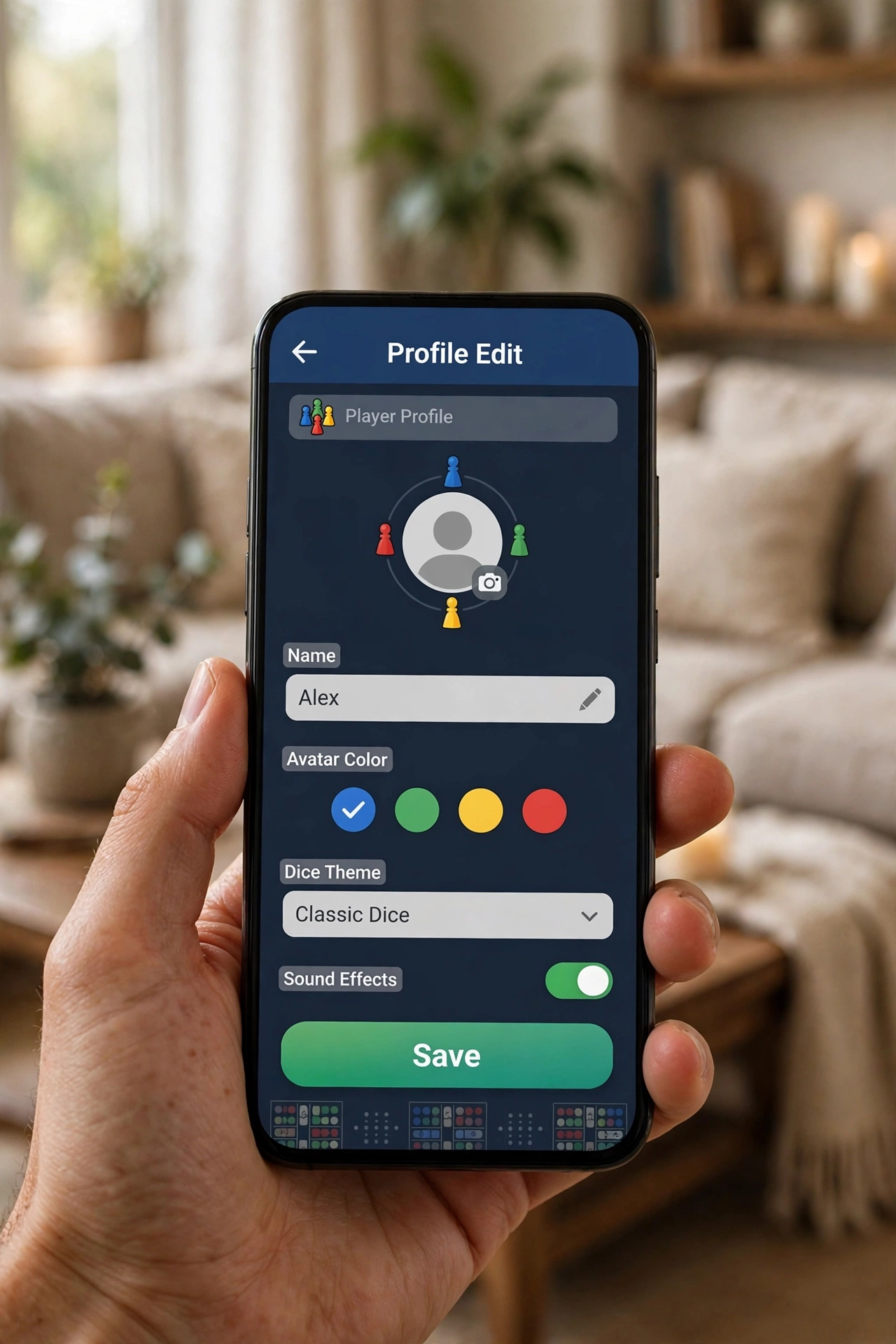
- Open Ludo Star and tap your profile icon at the top-left of the main screen.
- Tap Edit — in Ludo Star 2 this is the pencil icon next to your name — to open the profile editor.
- Change your name (and, if you like, your picture or country flag in the same screen).
- Confirm and save. Your new name shows to other players right away.
- Guest players, take note: if you play as a guest and later link a Facebook account, your progress carries over — and you can edit your name, picture and country from the same profile screen.
One honest difference from other games in this series: Ludo Star has no rename-card system reported anywhere, and no per-change cost is documented. If a future update adds one, the in-game prompt will tell you before it charges anything — nothing here is a paid item you can accidentally buy.
Ludo Star Stylish Names (20)
Names for the classic game — dice, board and lucky-roll themes:
🎲 DɪᴄᴇKɪɴɢ · ꧁LᴜᴅᴏLᴇɢᴇɴᴅ꧂ · ⚡RᴏʟʟMᴀsᴛᴇʀ⚡ · 乂SɪxSʜᴏᴛ乂 · ✦LᴜᴄᴋʏRᴏʟʟ✦ · ♛BᴏᴀʀᴅKɪɴɢ♛ · 🎲 DɪᴄᴇQᴜᴇᴇɴ · ꧁HᴏᴍᴇRᴜɴɴᴇʀ꧂ · ⚡LᴜᴅᴏSᴛᴀʀ⚡ · 乂TᴏᴋᴇɴKɪɴɢ乂 · ✦SɪxSɪᴅᴇ✦ · ♛DɪᴄᴇMᴀsᴛᴇʀ♛ · 🎲 LᴜᴄᴋʏSɪx · ꧁RᴏʟʟKɪɴɢ꧂ · ⚡BᴏᴀʀᴅBᴏss⚡ · 乂DɪᴄᴇDᴀʀᴇᴅᴇᴠɪʟ乂 · ✦TᴏᴋᴇɴQᴜᴇᴇɴ✦ · ♛LᴜᴅᴏCʜᴀᴍᴘ♛ · 🎲 SɪxSᴛᴀʀ · ꧁DɪᴄᴇLᴇɢᴇɴᴅ꧂
Ludo Star 2 Stylish Names (20)
Ludo Star 2 adds clubs, leagues and custom dice, so these names lean into the sequel’s bigger social game:
꧁LᴇᴀɢᴜᴇLᴇɢᴇɴᴅ꧂ · ⚡CʟᴜʙCʜᴀᴍᴘ⚡ · 乂DɪᴄᴇDᴜᴇʟɪsᴛ乂 · ✦SᴛᴀʀRᴏʟʟᴇʀ✦ · ♛TᴏᴜʀɴᴀᴍᴇɴᴛKɪɴɢ♛ · 🎲 DɪᴄᴇDʏɴᴀsᴛʏ · ꧁LᴇᴀᴅᴇʀʙᴏᴀʀᴅKɪɴɢ꧂ · ⚡CʟᴜʙKɪɴɢ⚡ · 乂SᴛᴀʀCʜᴀᴍᴘɪᴏɴ乂 · ✦LᴇᴀɢᴜᴇQᴜᴇᴇɴ✦ · ♛DɪᴄᴇWᴀʀʀɪᴏʀ♛ · 🎲 TᴏᴜʀɴᴇʏSᴛᴀʀ · ꧁CʟᴜʙLᴇɢᴇɴᴅ꧂ · ⚡SᴛᴀʀDᴜᴇʟɪsᴛ⚡ · 乂LᴇᴀɢᴜᴇAᴄᴇ乂 · ✦DɪᴄᴇHᴇʀᴏ✦ · ♛CʟᴜʙSᴛᴀʀ♛ · 🎲 LᴇᴀɢᴜᴇMᴀsᴛᴇʀ · ꧁TᴏᴜʀɴᴇʏKɪɴɢ꧂ · ⚡SᴛᴀʀLᴇɢᴇɴᴅ⚡
For more handle material, see our 200 username ideas. If you also play a game with a rename-card system, read our PUBG & BGMI stylish names for how cards and costs work there.
Frequently Asked Questions
How do I change my name in Ludo Star?
Tap your profile icon at the top-left, tap Edit, change the name, and confirm. In Ludo Star 2 the same edit is the pencil icon next to your name.
Does changing my Ludo Star name cost anything?
No rename card or per-change cost is reported for Ludo Star — it is a plain profile edit. If a future update adds a cost, the game will show it before charging.
Do Ludo Star 2 names work differently?
No — Ludo Star 2 uses the same profile-edit system. The names in the Ludo Star 2 section above are just themed for the sequel’s clubs and leagues.
What happens to my guest account if I link Facebook?
Your guest account converts to a Facebook-connected account and all your game status transfers. You can then edit your name, picture and country from your profile.
Can I change my profile picture and flag too?
Yes — the same Edit screen lets you change your display picture, username and country flag.
Can I use stylish fonts in my Ludo Star name?
Unicode styled text pastes into most profile fields, but check the result in the game before settling on it — a symbol that shows as a box on your device may look broken to other players too.
Written by Hamza · Stylish Name Maker