
Gothic Font Generator — Convert Text to Gothic Letters Free Online
Want your name or quote to look like it came straight off a medieval scroll? The Gothic Font Generator at stylishnamet.com does exactly that — type anything, pick a style, copy it, done. No installs, no sign-up, nothing complicated. Since the letters are Unicode-based, they paste straight into the apps and platforms you already use.
People use this tool for all kinds of things — Discord usernames, Instagram bios, tattoo lettering ideas, band logos, gaming handles. It runs fine on phone and desktop both. Every single style is free, always. The generator carries 49 gothic fonts and 7 more Unicode styles, with text effects and colour presets built in — the same word can come out as severe Textura, classic Fraktur or softer Old English at a click.
What Is Gothic Font? Blackletter, Fraktur & Old English Explained
Back in medieval Europe, church scribes needed a writing style that fit a lot of words onto very expensive pages. What they came up with was dense, vertical, and heavy — built purely for practicality. Over time that practical script became one of the most visually powerful lettering traditions in history.
Today those same thick strokes and tight letterforms show up in tattoo studios, metal band merch, horror posters, and gaming profiles. People call it "gothic" casually, but professional type designers call it "blackletter" — same family, different labels. Either way, nothing else carries quite the same visual authority.
Gothic Font Examples — Copy and Paste
Looking for ready-made gothic text? Here are a few examples you can copy and use instantly in usernames, bios, captions, gaming profiles, and creative projects.
Whether you need a gothic username, a blackletter display name, or an Old English text style for social media, the generator creates hundreds of variations instantly.
Gothic vs Blackletter vs Old English — What's the Difference?
Think of Blackletter as the parent category — Textura, Fraktur, Rotunda, and Schwabacher are all styles that live inside it. Old English is its own branch within that family, tied to early British printing, with a rounder and slightly softer appearance. Everyday people tend to use all these names interchangeably, and that is completely fine for practical purposes.
Choosing between them really comes down to what you are making. Old English suits formal, prestigious contexts — think newspaper titles or official certificates. Core blackletter reads as historically heavy and structurally serious, better for darker or more intense creative work.
Types of Gothic Fonts: Textura, Fraktur, Rotunda, Schwabacher
Textura is where this whole tradition started — ultra-rigid, densely packed, straight from northern European church manuscripts of the 12th century. Fraktur came along in 16th-century Germany as a slightly more readable evolution, and it remains the most recognized gothic style worldwide. Both styles are fully available on stylishnamet.com and handle everything from small tattoo lettering to large logo work.
Rotunda developed separately in southern Europe and has a noticeably softer, rounder character compared to the others. Schwabacher sits somewhere between Textura and Fraktur — round letter shapes combined with the heavier stroke breaks of blackletter. Knowing these four means you will never randomly guess a font style again.
How to Use the Gothic Font Generator — Step by Step
Here is a habit that saves a lot of time — write your final text in your notes app before you open the generator at all. Sorting out your words first means you are not editing and re-styling back and forth. Come to the tool with your text already locked in.
Head over to stylishnamet.com, drop your text into the input box, and watch the styles load up as you type. From there, adjust the font size and pick a colour if you want. Every gothic, blackletter, and Fraktur style updates live on the screen as you make changes.
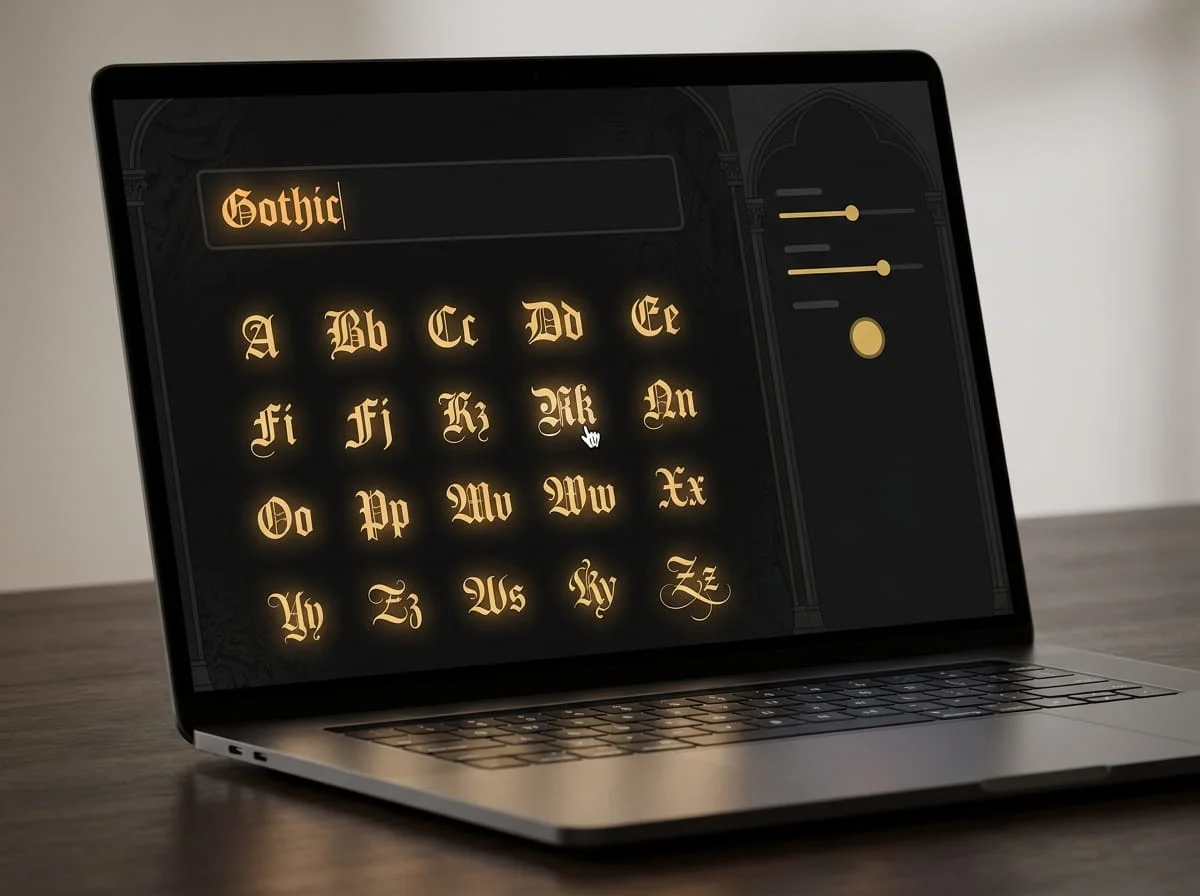
See a style you like? Just click it and the text lands on your clipboard automatically. Then open Instagram, Discord, TikTok, WhatsApp, or wherever you are posting and paste with Ctrl+V or Cmd+V. That is genuinely the whole process — most people finish in under a minute.
Why Use a Gothic Font Generator?
A gothic font generator saves time by converting ordinary text into decorative blackletter-style characters automatically. Instead of searching for font files, installing software, or learning design tools, you can create gothic text directly in your browser.
People commonly use a gothic text generator for:
- Instagram bios
- Discord usernames
- Gaming nicknames
- Tattoo lettering ideas
- Logo concepts
- YouTube channel names
- Creative social media posts
Because the output uses Unicode characters, the text remains easy to copy and paste across most modern platforms.
Where to Use Gothic Text — Instagram, Discord, TikTok & More
Here is what makes Unicode gothic text genuinely useful — it behaves like regular typed text on every platform. Drop it into Instagram, TikTok, Twitter, Facebook, YouTube, WhatsApp, SnapChat, Discord, or even a plain text message. There is no app to install, no file to attach, nothing to configure on the receiving end.
Outside the usual social platforms, gothic text has some surprisingly practical uses. Tattoo artists drop the output into a client preview image before any actual work begins. Steam communities built around medieval or fantasy games use blackletter usernames and server names to immediately set the right visual tone.
Gothic Font for Instagram Bio & Captions
Your Instagram bio is 150 characters with no native text formatting at all — gothic text is one of very few ways to actually make it stand out. The Unicode letters paste directly into the bio field and display properly on modern phones — the regular and bold gothic styles render almost everywhere, though very old devices may show boxes for the rarest letters. Pair a styled display name with plain regular text underneath and the contrast alone makes your profile feel more considered.
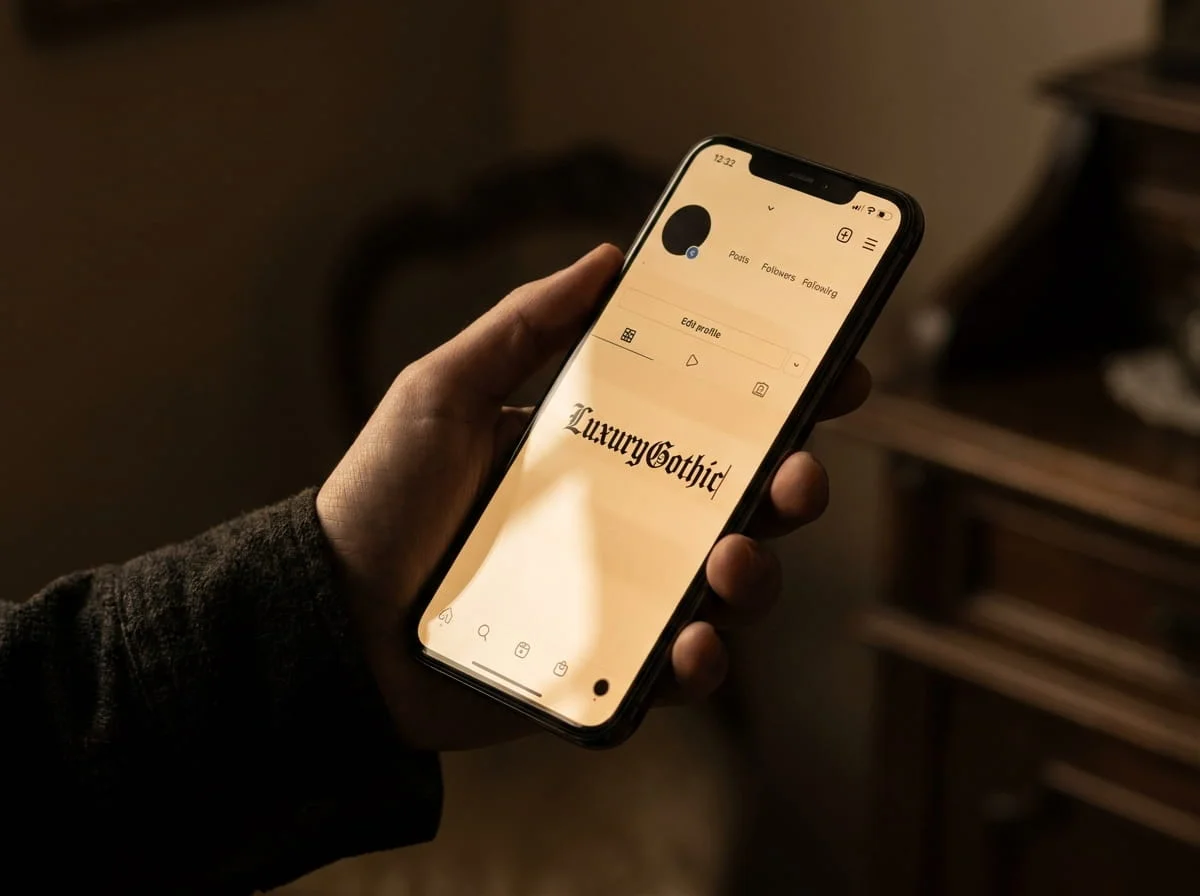
For captions, the smarter move is using gothic text on just the first line or a single phrase — not the whole post. Running blackletter through an entire caption makes it genuinely tiring to read and people scroll past. A single styled line at the top of a caption does far more than five lines of gothic text would.
Gothic Font for Discord Username & Server Names
A gothic username on Discord does something a regular username cannot — it communicates your whole vibe before anyone reads a single message. One modern catch first: Discord's newer @usernames accept only plain lowercase letters, numbers, dots and underscores, so gothic text no longer fits the username field itself. It works exactly as before in your display name, your per-server nickname, server names and messages — which is what other members actually see. Put it there and it renders for every member, no bots or workarounds needed.
For server names specifically, bold gothic and Fraktur styles tend to carry the most weight visually. They look intentional and sharp rather than accidental. Keep your chat messages in regular text though — gothic lettering in every message gets hard to follow fast.
Gothic Fonts for Gaming: Roblox, Fortnite & More
A styled gothic username in Roblox or Fortnite lobbies immediately reads differently from a generic default name. On Roblox, gothic text belongs in your display name — usernames there are plain letters, numbers and underscores only. In Fortnite it fits the display name directly. Either way there are no hacks or special settings: where a platform allows styled text, this is styled text. When a handle looks that intentional, it starts feeling like a brand rather than just a name someone typed.
For players looking for a wider range of nickname styles, our Stylish Name Generator includes hundreds of gaming-friendly font variations.
For clan branding especially, gothic fonts are worth thinking about beyond just the name itself. A consistent blackletter style across your Discord server, social accounts, and any merchandise creates real visual cohesion. Textura and bold gothic both hold up at small sizes while Fraktur and ornate styles shine at larger display sizes.
How to Choose the Right Gothic Font Style for Your Purpose
Each blackletter style has its own personality and not all of them suit every job. Textura feels severe and ancient, Fraktur feels structured and authoritative, Rotunda feels approachable, and Schwabacher lands somewhere between personality and weight. Picking one without thinking about where it is going usually results in something that looks fine but feels slightly off.
Before you think about which style looks coolest, think about where the text is actually going to live. Tattoo work needs letterforms with enough stroke weight to stay sharp on skin over years. Band logos and heavy visuals can go much more ornate because they are always displayed big.
Gothic Fonts for Tattoos — Best Styles & Lettering Tips
Blackletter survives on skin better than lighter scripts for a straightforward reason — heavier strokes do not blur and fade as quickly as thin lines do. Bold gothic and classic Fraktur are what experienced tattoo artists reach for when doing name and quote work. The stroke weight in those styles is what keeps the lettering readable five or ten years later.
Before booking any appointment, generate your text on stylishnamet.com and screenshot it at the actual size it will appear on your body. Take that image to your artist rather than a font name — it eliminates guesswork on both sides. Also leave some breathing room between letters — gothic lettering packed too tight becomes completely unreadable on skin.
Gothic Font for Logo Design & Branding
Blackletter has been carrying brand authority for over a hundred years — newspapers, breweries, luxury goods, law firms. It communicates longevity and seriousness without any extra design work needed around it. For anyone building a brand with a dark, historical, or heavy creative identity, gothic fonts are genuinely the shortcut.
Classic Fraktur and bold gothic are the safest bets at logo scale because their sharp forms still read clearly when shrunk down to small sizes. Always test your brand name across several gothic styles on the generator before settling on one. Something that reads powerfully at large size can look completely different at favicon or business card scale.
Gothic Font for Halloween, Horror & Heavy Metal Aesthetics
Gothic lettering fits horror and heavy metal visuals so well because the structure of the letters themselves already communicates intensity. Angular strokes, tight compressed forms, and naturally shadow-heavy appearance — all of that is built into the letterforms before a single word is chosen. Textura and bold gothic in particular amplify a dark message rather than just sitting decoratively around it.
Heavy metal has leaned on Fraktur and ornate blackletter for decades across album art, stage banners, and merchandise. That visual tradition is part of what makes the genre immediately recognizable from across a room. The stylishnamet.com generator gives bands and designers instant access to that full range — graffiti-edged styles, refined calligraphy, everything in between.
History of Gothic Typography — From Medieval Manuscripts to Digital Use
Gothic typography was not invented to look striking — it was invented to solve a space problem. Scribes in 12th-century northern Europe were writing on costly vellum and needed a script that packed more words onto every page. Blackletter was what came out of that pressure — dense, vertical, built on strokes heavy enough to hold structure at small sizes.
Gutenberg took that same familiar blackletter shape and used it as the model for his movable type system in the 1450s because readers already knew and trusted it. Fraktur developed shortly after as a more refined version for German imperial documents. Schwabacher, Rotunda, and Textura each evolved in parallel across different regions, each becoming the regional standard for printed gothic type.
The 20th century took gothic lettering somewhere its medieval inventors never imagined — heavy metal record covers, tattoo flash sheets, street graffiti, and eventually every corner of the internet. Type scholars debated what cultural weight it carried but creative communities just kept using it. Now a free tool on stylishnamet.com puts that entire six-century-old lettering tradition onto your clipboard in three seconds.
Unicode Gothic Fonts Explained
Many people assume the generator creates actual font files. In reality, the output is produced using Unicode characters that visually resemble gothic and blackletter lettering.
This approach has a major advantage: the text works almost everywhere without requiring the viewer to install anything. Whether someone opens your profile on Android, iPhone, Windows, or Mac, the gothic characters usually display correctly because they are part of the Unicode standard.
That is why Unicode gothic text has become popular for usernames, bios, captions, and online branding.
Frequently Asked Questions About Gothic Font Generator
What is a gothic font generator?
It is a free web tool that takes regular text and converts it into gothic, blackletter, Fraktur, and Old English styled letters. You type into the input box on stylishnamet.com and the styled versions appear immediately. No download, no account, no software — open the page and start using it.
Is Gothic text a real font or Unicode?
The gothic text this tool produces is Unicode — specifically characters from the Mathematical Alphanumeric Symbols block that visually resemble blackletter and Fraktur letterforms. It is not a font file that needs to be installed on anyone's device. That is the whole reason it travels so easily — any text field that accepts standard input will display it correctly.
Can I copy and paste Gothic text anywhere?
Yes, and the process is about as simple as it gets. Click any style on stylishnamet.com and it copies to your clipboard on its own. Then paste it anywhere — Instagram, Discord, Fortnite, Roblox, text messages, emails, Steam — whatever platform you are using.
Does Gothic font work on Instagram and Discord?
It works on both without any setup or workarounds. Gothic text pastes straight into Instagram bio fields, captions, and profile names and displays correctly on every phone and browser. Discord handles it the same way across usernames, server names, and regular chat messages.
What is the difference between Gothic, Fraktur and Blackletter?
Blackletter is the proper typographic term for the whole family — it is what font designers and type historians actually use. Gothic is the popular name most people search and use casually, pointing to the same group of styles. Fraktur is one specific style within blackletter — more open than Textura, developed in 16th-century Germany, and visually distinct from Rotunda and Schwabacher.
Is this Gothic font generator free to use?
Completely free — no account, no subscription, no hidden limits on stylishnamet.com. Every style is available for personal use including usernames, bios, captions, and tattoo previews at no cost. For commercial work like paid logo projects or brand design, it is worth checking the license terms on specific font designs you plan to use professionally.
Why does gothic text show as boxes on some screens?
Those boxes (often called tofu) mean the viewing device does not have that particular Unicode letter in its fonts — common on very old phones and a few strict apps. The text itself is fine. If your name must read everywhere, use the regular or bold gothic styles: their letters are the most widely supported. The extra decorative Unicode fonts are the most fragile, so save those for audiences on modern phones.
Can I use gothic text in my Discord username?
Not in the @username itself — Discord's current username system allows only lowercase letters, numbers, dots and underscores. Use your gothic text as your Discord display name or your nickname inside a server instead; that is the name members see next to your messages, and it accepts the full gothic styling.
Can I use this gothic text for a tattoo?
Yes — as lettering reference, which is how many people use it. Generate your word or phrase, then print it at the exact size you want and take it to your artist. Two things worth hearing from artists: very thin Textura strokes can soften and blur as a tattoo ages, and your artist's judgement on spacing and line weight should always win over a screen preview. Bold Fraktur styles age the most gracefully on skin.
By Hamza · Stylish NameT — last updated October 2026.