
Search TikTok username guides and you will find two answers: 30 days and 7 days. Both numbers are real — but they apply to two different fields, and guides that mix them up have been confusing creators for years. This guide settles it first, then gives you the exact steps, the username rules, and the checklist to run before you spend your monthly change.
To change your TikTok username, open the app, tap Profile, tap Edit profile, tap Username, type the new handle, and tap Save. You can change it once every 30 days. The 7-day number you see in some guides is for the nickname (display name), not the username — the two fields live on the same screen but follow different limits.
How to Change Your TikTok Username (Step by Step)
- Open the TikTok app and make sure you are signed in to the right account.
- Tap Profile in the bottom-right corner.
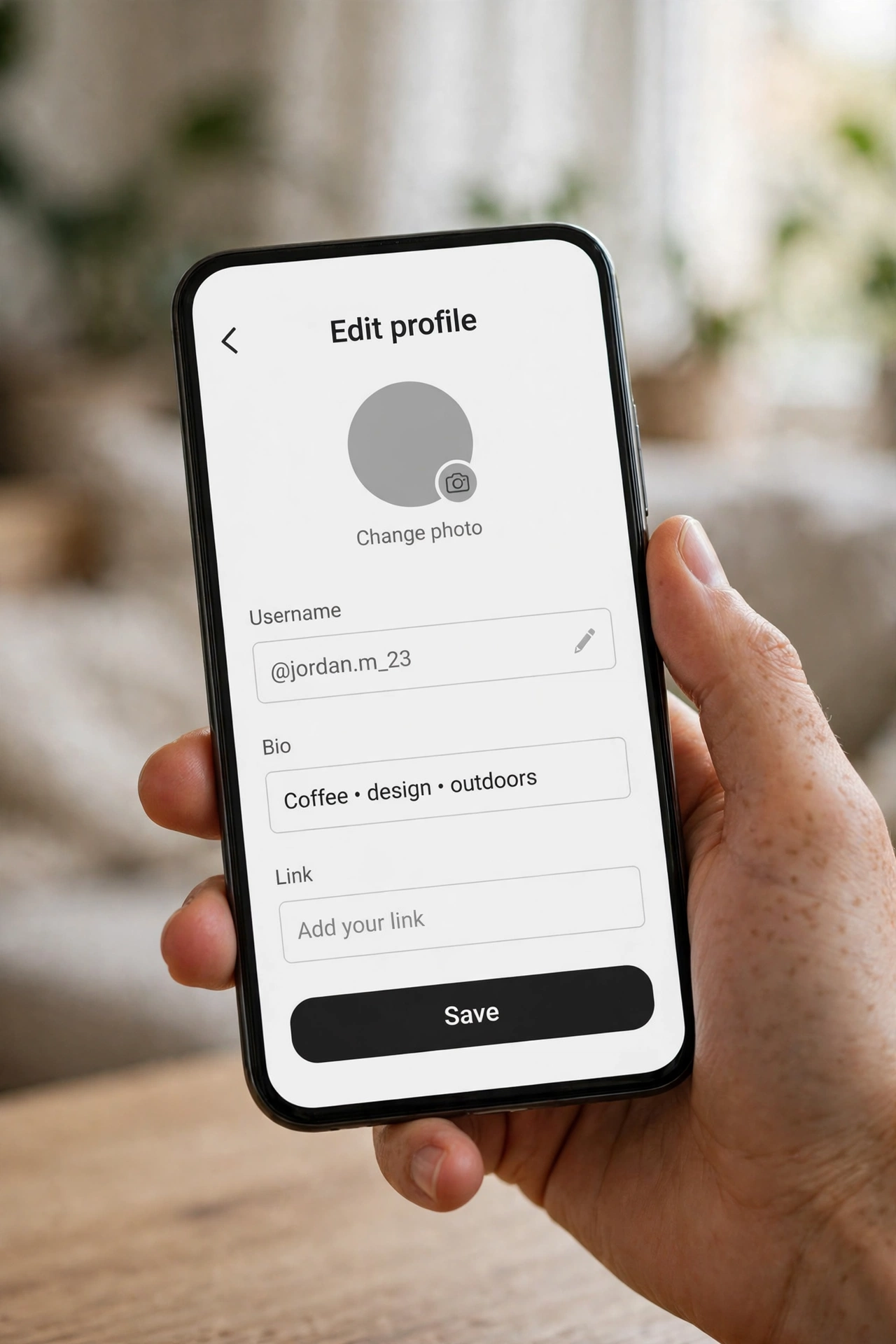
- Tap Edit profile below your profile picture and bio.
- Tap the Username field, delete the old handle, and type the new one. TikTok checks availability as you type — if the name is taken, you will need a variation before you can save.
- Tap Save in the top-right corner. Your new username goes live immediately — and your 30-day clock starts now.
The app is also the definitive availability test: if TikTok lets you save a name, it is yours. Checking a profile page in a browser is a good first filter, but only the app’s save button settles it.
TikTok Username Rules You Must Know
| Rule | What it means |
|---|---|
| 2–24 characters | Shorter than Instagram’s 30. Keep it short — short handles are easier to remember and tag. |
| Letters, numbers, underscores, periods only | No spaces, no hyphens, no emojis, no other symbols in the username itself. |
| No period at the end | A handle cannot end with a period — and no two periods in a row either. |
| Must be unique | Only one account can hold a username. If it is taken, it is taken — there is no queue. |
| Not case-sensitive | TikTok stores usernames in lowercase. @YourName and @yourname are the same handle. |
| Once every 30 days | After a change, you cannot change the username again for a full month. No official skip exists. |
30 Days or 7 Days? Both — For Different Fields
Here is the confusion, resolved. TikTok’s Edit profile screen holds two name fields, and each has its own change limit:
| Field | Change limit | What it is |
|---|---|---|
| Username (@handle) | Once every 30 days | Your unique identity and profile link (tiktok.com/@handle) |
| Nickname (Name) | Once every 7 days | Your display name — up to 30 characters, capitals, spaces, and emojis allowed |
Why guides disagree: a guide that says “7 days” is almost always talking about the nickname, or it copied a nickname rule into a username article. If you are changing the @handle, the number that governs you is 30 days — full stop. If you only want a fresh look, the nickname’s 7-day cycle is far more forgiving, and it is where stylish fonts belong anyway.
Username vs Nickname: What’s the Difference?
Your username is the @handle in your profile link — unique, plain characters only, and locked for 30 days after a change. Your nickname (the Name field) is the display name people see above your videos — it does not need to be unique, it allows capitals, spaces, and emojis, and it can be changed every 7 days. Style lives in the nickname; identity lives in the username. Confusing the two is how creators accidentally burn a 30-day change on what should have been a 7-day nickname edit.
Before You Change: The 30-Day Checklist
Because the username locks for a month, run this checklist before you tap Save:
- Check availability in the app first. Type the exact handle in the Username field and confirm TikTok accepts it. A browser check (tiktok.com/@handle) is a useful first filter — a loaded profile means taken — but a “Couldn’t find this account” page is not a guarantee, since a suspended or deactivated account can still hold a name.
- Make sure it passes every rule above. Length, characters, no trailing period, no double periods — a rejection costs you nothing, but a confirmed change costs you 30 days.
- Pick a handle you will like next month. Trends and jokes age fast, and you cannot fix a regretted handle for a full month.
- Ask: do I need the username, or just a fresh look? If it is the look, change the nickname instead — 7-day cycle, capitals and emojis allowed, and style it with our TikTok name styles without touching your 30-day username clock at all.
What Happens After You Change Your Username?
- Your profile link changes immediately. Your old tiktok.com/@oldname link stops working as your link, so update it in your other bios, websites, and link-in-bio pages.
- Followers and videos stay. It is the same account with a new handle — nothing you posted moves or disappears.
- Your nickname is untouched unless you change it separately. The two fields are independent.
- People need the new handle to tag and find you. Old mentions still point to the account’s history, but new tags need the new @name.
If Your New Username Is Taken (or You’re Inside the 30 Days)
- Try a small variation. Add a period or underscore, or a short niche word — yourname.daily, yourname_clips, yourname.official. Avoid long number strings: they date the profile and give away personal information.
- Pick from a real list instead of guessing. Our username ideas post has 200 names across 8 categories — shortlist three, test them in the app, and take the one that saves.
- Inside the 30 days, there is no official skip. This is the question behind all those “before 30 days” searches, and the answer is plain: you wait. TikTok offers no early-change option for usernames. What you can do today is restyle your nickname (7-day cycle) with our TikTok name styles while the username clock runs out.
- Do not try to buy or claim someone else’s handle. There is no official transfer — a taken handle stays taken until its owner frees it, and TikTok does not broker handles.
Style It Instead of Burning Your 30-Day Change
Most creators who want a “new TikTok name” really want a new look — and the nickname gives it to you on a 7-day cycle with capitals, spaces, and emojis allowed. Our TikTok name styles page and the stylish name maker turn any name into copy-paste styles for your nickname and bio. Change the username once a month if you must — style the nickname whenever you feel like it.
Frequently Asked Questions
Can I change my TikTok username every 30 days or every 7 days?
Both numbers are real, for different fields: the username (@handle) changes once every 30 days, while the nickname (display name) changes once every 7 days. Guides that say “7 days” for usernames are mixing the two fields up.
Can I change my TikTok username before 30 days?
No — TikTok offers no official way to skip the 30-day wait for usernames. While you wait, you can still restyle your nickname, which runs on its own 7-day cycle, via our TikTok name styles.
What is the difference between a username and a nickname on TikTok?
The username is your unique @handle and profile link — 2–24 plain characters, changeable every 30 days. The nickname is your display name — up to 30 characters with capitals, spaces, and emojis, not unique, changeable every 7 days. Stylish fonts belong in the nickname.
Why is my desired username rejected?
Usually one of five reasons: it is taken, it is shorter than 2 or longer than 24 characters, it uses a character outside letters/numbers/underscores/periods, it ends with (or doubles) a period, or you are inside your 30-day window. Fix the failing rule and try again.
Does my TikTok profile link change too?
Yes, immediately. Your old tiktok.com/@oldname link stops being your link, so update it in your other bios, websites, and link-in-bio pages right after the change.
Can I use stylish fonts in my TikTok username?
Not in the username itself — it only accepts plain letters, numbers, underscores, and periods. Stylish fonts go in your nickname and bio, which is where our stylish name maker comes in.
Short version: username = 30 days, nickname = 7 days — and knowing which one you are changing is half the guide. Change the handle carefully, style the nickname freely.