
Discord has three different names for one account, and most guides only explain one of them. This guide covers all three: your unique username, your display name, and your per-server nickname — the exact steps on desktop and mobile, the rules Discord actually enforces, and where stylish fonts can and cannot go.
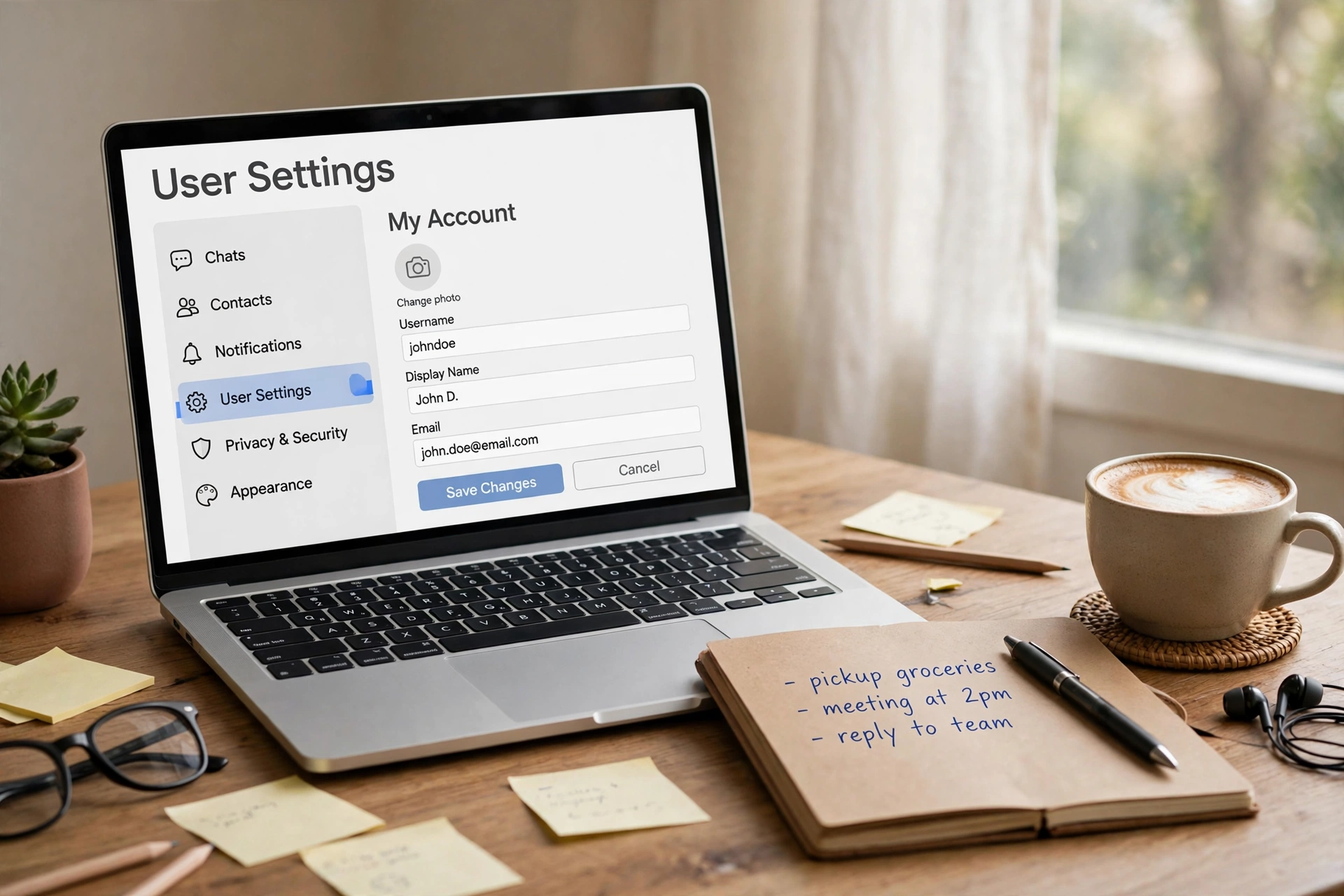
To change your Discord username, open Settings (the gear icon), go to My Account, click Edit next to Username, type the new handle, enter your password, and save. Your display name changes from the same My Account page but needs no password — and your server nickname is set separately inside each server.
How to Change Your Discord Username on the App
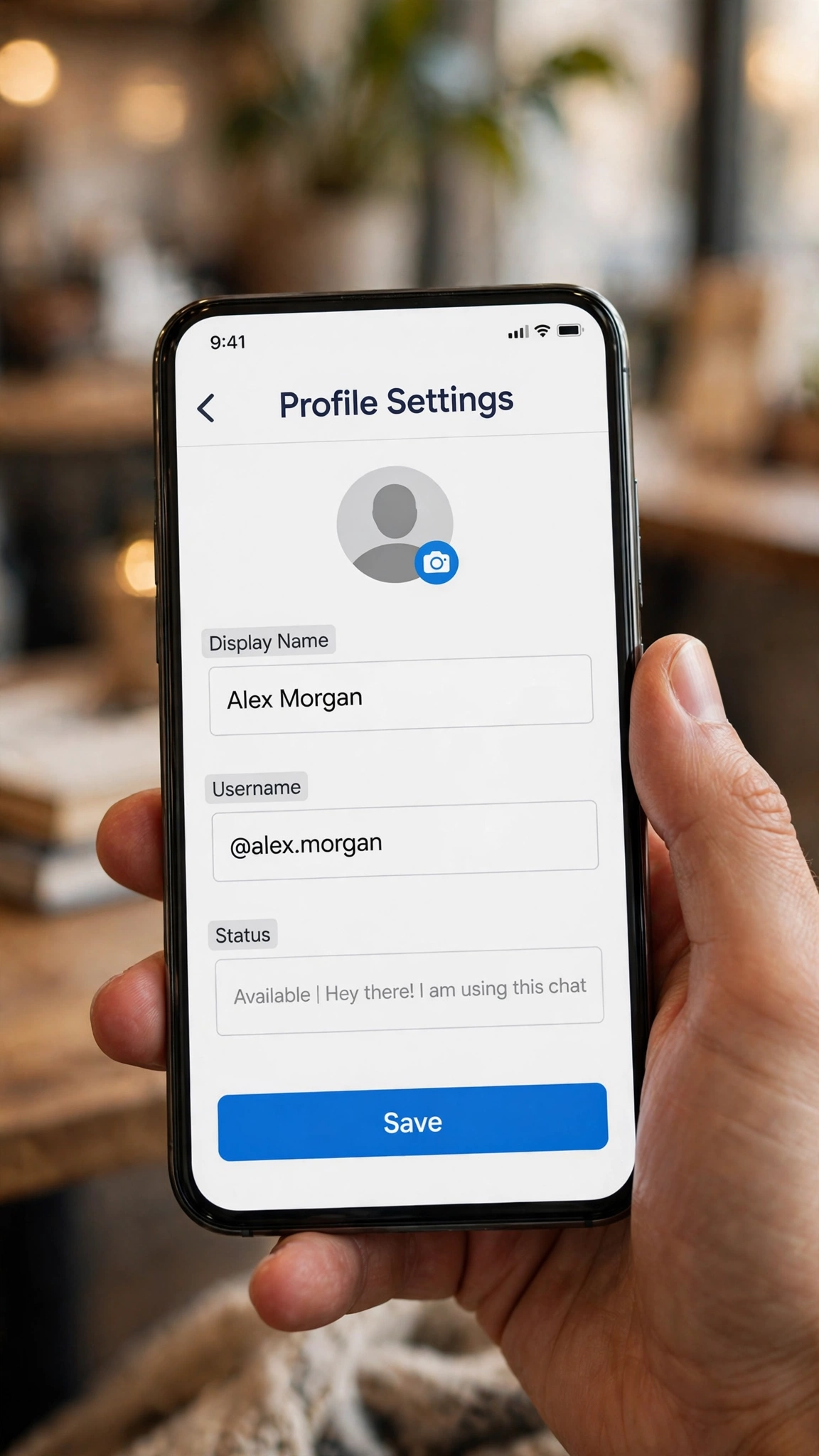
- Open the Discord app and tap your profile avatar in the bottom-right corner.
- Open Settings (the gear icon) and go to My Account.
- Tap Edit next to Username and type your new handle. Discord checks availability as you type.
- Enter your current password when Discord asks for confirmation — username changes always need it.
- Save. The new username applies everywhere immediately: every server, every DM, and every mention of you.
How to Change Your Discord Username on Desktop
The desktop path is the same idea with a mouse: click the gear icon next to your avatar in the bottom-left corner, open My Account, click Edit next to Username, type the new handle, enter your password, and save. If the name is already taken, Discord tells you before saving, so have a backup variation ready.
Discord Username Rules You Must Know
Since the 2023 username update, Discord handles work very differently from the old system. Check your pick against this table before you save it.
| Rule | What it means |
|---|---|
| Unique across Discord | Only one account can hold a username. If it is taken, you need a variation — there is no waitlist. |
| 2–32 characters | Shorter handles are easier to mention and remember, but the hard limit is 32. |
| Lowercase letters, numbers, underscores, periods | No spaces, no emojis, no other symbols in the username itself. Capitals are converted to lowercase. |
| Password confirmation required | Every username change asks for your current password. Keep it handy before you start. |
| No Nitro effect on name limits | Nitro raises message length, not name limits — usernames, display names, and nicknames have the same limits with or without Nitro. |
The old #1234 tags are gone. If you see a username with a four-digit discriminator in an old screenshot or guide, that is the retired system. Since 2023, your @username alone is the unique handle — there is no number to change, and Nitro no longer gates discriminator changes the way it did under the old system.
Username vs Display Name vs Server Nickname
This is the part most people get wrong. Discord gives you three names, and each one behaves differently:
| Name | Where it shows | Rules |
|---|---|---|
| Username (@handle) | Everywhere — all servers, DMs, mentions, search | Unique, 2–32 chars, plain characters only, password to change |
| Display name | Everywhere, shown above your username | Not unique, 1–32 chars, emojis and stylish fonts allowed, changeable anytime |
| Server nickname | Only inside one server | Not unique, 1–32 chars, emojis and stylish fonts allowed, set per server |
To change a server nickname, open that server, right-click (or long-press) your own name in the member list, and edit the nickname — or go to Server Settings → Profiles if the server allows it. A nickname never affects your global username or your nicknames in other servers.
What Happens After You Change Your Username?
- Friends, servers, and messages stay. It is the same account — only the handle changes.
- Mentions update automatically. Discord mentions point at your account, not at typed text, so old mentions render with your new name.
- People find you by the new handle. Anyone searching your old username will not find you, so tell your regular servers and friends.
- Your display name does not change. If friends recognize you by your display name, it stays exactly as it was unless you change it too.
If Your New Username Is Taken
- Add a separator. A period or underscore often frees a taken name: alex.morgan, alex_morgan, alexplays.
- Add a niche word, not digits. alex.daily, alex.club, and alex.lounge age better than alex12345.
- Pick from a real list. Our username ideas post has 200 names across 8 categories — shortlist three and test them in the username field.
- Do not impersonate. Copying a known creator’s handle with a look-alike spelling can get the account actioned.
Style the Parts That Allow Style
Your username has to stay plain — but the two names people actually see first do not. Your display name and server nicknames accept stylish fonts, emojis, and symbols, which is where our Discord name styles come in: style the display name once, and it shows across every server, while your handle stays clean and searchable. Start with our stylish name maker (500+ styles), then paste the result into the display name field.
Frequently Asked Questions
Can I change my Discord username more than once?
Yes. Discord publishes no total limit or cooldown for username changes — you can change again whenever you like, as long as the new handle is free and you confirm with your password.
What is the difference between a username and a display name?
The username (@handle) is unique, plain-text only, and identifies your account everywhere. The display name is not unique, allows emojis and stylish fonts, and is what people see most prominently — that is where your Discord name styles go.
Does Discord Nitro let me change my username more easily?
No. Nitro raises message length and upload limits, but username, display name, and nickname limits are identical with or without Nitro.
What happened to the #1234 discriminator?
Discord retired discriminators in the 2023 username update. Your @username is now the only unique handle; old guides and screenshots showing #1234 are describing the retired system.
Can I use stylish fonts in my Discord username?
Not in the username itself — it only accepts lowercase letters, numbers, underscores, and periods. Stylish fonts go in your display name and server nicknames.
Will my friends lose me if I change my username?
No. Friend lists, servers, and messages all stay. Mentions update to the new name automatically — but anyone searching your old handle will not find you, so let your regular contacts know.
Short version: change the handle in My Account with your password, keep the display name for style, and use per-server nicknames when one community should see a different name. Three fields, three jobs — once you know which is which, Discord naming stops being confusing.